



How about a business where workflows, document processing, and data handling run smoothly on their own, freeing you to focus on strategic, people-centric initiatives? This is no longer a distant vision. In 2026, business process automation (BPA) software has reached new heights, empowering businesses to streamline operations, cut costs, and adapt faster than ever.
But with so many options out there, which BPA software is truly top-tier?
This article dives into the best business process automation software of 2026, with a special focus on low-code platforms that make it easier than ever to automate complex manual processes without a fleet of IT experts.
Whether you're aiming for quick wins or planning long-term scalability, here's your guide to selecting the BPA software that can keep your business ready for anything.
But first…
What is business process automation software?
Before we proceed to our business process automation software comparison, it's worth providing a simple definition of this term.
It is a type of technology that automates manual tasks, processes, and workflows within an organization. Digital process automation tools help companies improve efficiency, reduce errors, and save time by streamlining operations.
What is the difference between RPA and BPA?
When it comes to reducing the dependence on manual processes, BPA software is not the only option. There is one more commonly applied technology named robotic process automation (RPA). Despite some obvious similarities in their names, RPA and BPA are not just the same.
What is RPA?
RPA relies on software robots (bots) for automating repetitive, rule-based tasks. These bots interact with business applications and digital systems just like a human would. They can perform such actions as clicking, typing, copying and pasting, and extracting data.
What makes business process automation different?
At the same time software for business process automation represents a more comprehensive approach. It focuses on streamlining entire workflows and integrates various systems and tools to ensure a seamless end-to-end automation experience.
The choice between these digital process automation concepts should depend on your business requirements and operational challenges.
In the case of RPA, you can transform repetitive tasks without modifying existing systems.
Meanwhile, business process automation software helps to optimize and streamline end-to-end workflows.
Why business process automation matters in 2026
Simply because it makes it easier to run your business. With BPA implemented, you can improve efficiency, reduce operational costs, scale seamlessly, and more:
- Over 90% of workers report that automation solutions boost their productivity, enabling them to work more effectively.
- 88% of small business owners say automation helps them compete successfully with larger companies.
- Almost 90% of employees trust automation to improve accuracy, reduce errors, and accelerate decision-making.
- Around 80% of employees feel automation frees up time, allowing them to focus on building stronger relationships with customers and stakeholders.
- 92% of IT professionals agree that automation enables employees to tackle more complex, strategic work, enhancing overall productivity.
Therefore, automation software not only helps to optimize business processes but also empowers employees to contribute more strategically, ultimately driving greater organizational success.
Key features to consider in business automation software
Before diving into the exploration of the best BPA tools, it's important to highlight several key features to consider when evaluating them:
Workflow automation
Automating end-to-end workflows is a cornerstone of effective BPA. For instance, a BPA solution might automate processes from employee onboarding to customer service inquiries, providing seamless, consistent experiences across operations. Full workflow automation also creates transparency and accountability, as each step is monitored and recorded, facilitating easier oversight and compliance.
See how we set up Retool workflows to reduce manual work for venture capital company employees in this case study.
Low-code capabilities
Low-code platforms are so to say a specific “type of BPA software” that allows users to build and automate processes using minimal coding. This capability has led to their growing popularity as a key method for streamlining business automation.
Looking ahead, projections suggest that 70% of new applications developed by organizations will utilize low-code or no-code technologies by 2025, a significant rise from less than 25% in 2020.
By utilizing visual interfaces, drag-and-drop components, and pre-built templates, these platforms allow for the quick creation of customized workflows without requiring extensive programming knowledge.
Besides, low-code/no-code development facilitates swift implementation and ongoing adjustments as organizational needs evolve, making them particularly valuable across various business functions.
In essence, low-code platforms serve as a user-friendly subset of BPA software, bridging the gap between automation goals and ease of use for non-technical users.
Integration flexibility
Seamless integration with existing business tools – such as CRM, ERP, and HR systems – is essential for any BPA solution. Effective integration ensures that data flows smoothly across systems, preventing information silos and redundant data entry.
For example, integrating BPA with a CRM enables automated follow-ups or data updates, improving both customer experience and operational efficiency. In 2025, BPA solutions that offer robust APIs and pre-built connectors will provide significant advantages in simplifying data exchange.
AI possibilities
It's becoming increasingly difficult to envision business automation without incorporating AI capabilities. In fact, 71% of organizations are either experimenting with generative AI or expanding its use – and for good reason. AI offers numerous advantages, such as real-time data analysis that can identify inefficiencies, suggest optimizations, and even forecast future trends.
These capabilities of business process automation software empower companies to take a proactive approach to their operations. For instance, predictive analytics enable organizations to anticipate needs related to resource allocation and demand fluctuations.
Meanwhile, AI-powered decision-making tools enhance response times by recommending actions based on historical data patterns. As a result, incorporating AI in business process automation not only streamlines workflows but also positions companies to adapt swiftly to changing market dynamics.
Scalability and customization
Scalability ensures that BPA software can grow alongside a business, accommodating increased workloads, users, or new processes without loss of performance. Customization options, on the other hand, allow businesses to tailor workflows to their specific needs. In 2025, with businesses facing increasingly complex demands, scalable and customizable BPA solutions are essential for long-term adaptability.
This flexibility can help you meet unique operational requirements, modify workflows as they change, and avoid the limitations of a one-size-fits-all approach.
The best business process automation software in 2026
It's advisable to remember that there isn't a one-size-fits-all solution. Each business has unique goals, needs, and priorities that require tailored automation strategies.
Business automation encompasses a wide array of processes, leading to a diverse range of automation solutions available in the market. Let's take a closer look at what different business process automation software vendors offer today.
We've highlighted some of the top options based on the features discussed earlier.
1. Retool

Retool is one of the trending low-code tools intended for streamlining internal app development and automating business processes. It excels in creating custom dashboards, admin panels, and internal tools, enabling organizations to automate workflows across departments like sales, customer support, and operations without extensive coding.
Key features:
- Drag-and-drop interface
Retool simplifies app creation by offering over 100 pre-designed components that users can easily assemble.
- Pre-built connectors
Built-in connectors allow for easy integration with various databases, such as MySQL and MongoDB, as well as APIs like Salesforce and Slack.
- Custom components
Allows users to build unique functionalities tailored to specific business processes.
Pros:
- Rapid development of internal tools.
- Flexible integration with various data sources.
- Suitable for both small and large teams.
Cons:
- Requires some coding knowledge.
- Managing complex applications can be challenging.
Summary:
Retool is ideal for businesses needing quick, customizable internal solutions to enhance operational efficiency. Its flexibility and ease of use make it a strong candidate for automating various workflows across departments.
You can read more about Retool and its alternatives here.
2. Zapier

Zapier is a web-based process automation tool that connects different business applications and services to automate repetitive tasks. It allows users to create "Zaps" – automated workflows that trigger actions between connected apps – effectively streamlining processes across marketing, sales, and customer service.
Key features:
- App integrations
Supports integration with multiple apps (e.g., Gmail, Slack, Trello).
- Multi-step “Zaps”
Allows users to create complex workflows involving multiple steps.
- Custom triggers and actions
Users can set specific triggers for actions across different platforms.
Pros:
- Easy to set up and use.
- Saves time on repetitive tasks.
- Broad integration capabilities.
Cons:
- Limited functionality for complex workflow and process automation.
- The free version has restrictions on the number of “Zaps”.
Summary:
While Zapier excels at connecting popular, widely-used apps and automating business processes powered by straightforward tasks, it can be limited in handling highly complex workflows or more advanced data manipulation.
Organizations with specialized needs, or those requiring deep integration between niche or custom-built tools, may find Zapier lacking the granularity or customization that more specialized automation platforms offer.
3. Appian

Appian is a low-code automation platform that enables businesses to streamline complex workflows and build applications quickly. Known for its flexibility, Appian is widely used for automating processes in industries with strict regulatory requirements, such as finance, healthcare, and government.
Key features:
- Process modeling
Provides tools to visualize, automate, and monitor workflows.
- Robust integrations
Integrates with systems like Salesforce, SAP, and various APIs for a seamless process automation experience.
- AI & decision automation
Supports AI-driven decisions within workflows for tasks like fraud detection and claims processing.
- Case management
Manages unstructured tasks in real-time, ideal for complex, variable processes.
Pros:
- Flexible and scalable for large, regulated industries.
- Strong analytics for real-time reporting.
- Excellent for managing complex workflows and compliance.
Cons:
- Advanced functions may require technical expertise.
- Higher learning curve for non-technical users.
Summary:
Appian excels at managing complex workflows and compliance-heavy processes, making it a powerful solution for large enterprises needing secure, scalable automation.
However, smaller organizations or those seeking simpler workflows may find the platform's depth more than they need.
4. Airtable
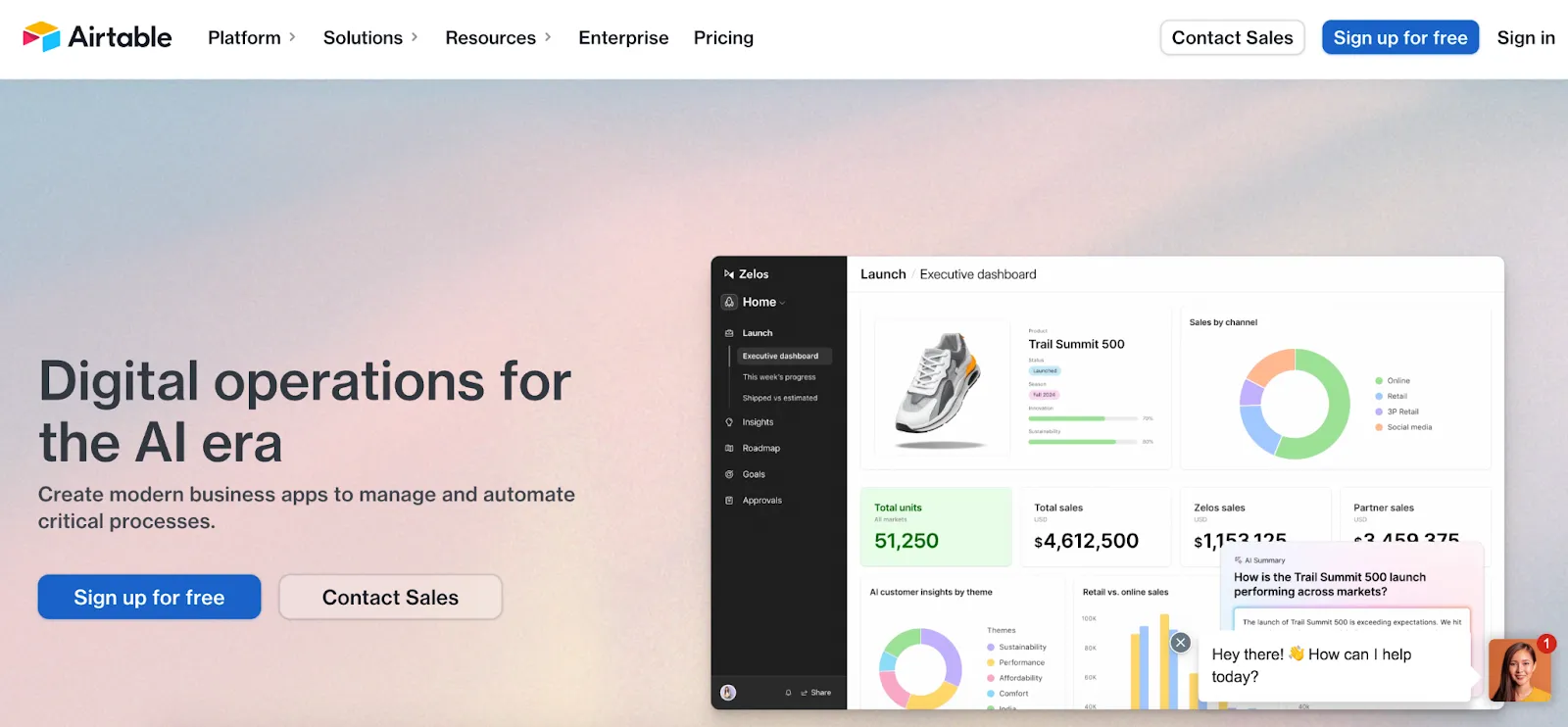
Airtable combines the features of a database with a spreadsheet interface to facilitate project management and collaboration. It enables users to automate workflows, manage projects, and track progress while providing visual project views that enhance user experience. With Airtable, non-technical users can design custom applications and create relational databases, streamlining processes without extensive coding.
Key features:
- API generation
Airtable generates an API for each database, allowing users and third-party applications to create, update, and delete records or retrieve data seamlessly.
- Automated workflows
Users can create custom workflows within Airtable to improve communication and reduce errors, empowering teams to manage processes more efficiently.
- Third-party imports
Airtable supports file imports from third-party applications like Excel and Trello, making it easy to consolidate data from multiple sources.
- Workspace customization
Users can personalize their workspace, adjusting data display with color schemes, icons, and custom column and row configurations for a more intuitive experience.
Pros:
- Highly customizable interface.
- Strong collaboration features.
- Suitable for project management and data organization.
Cons:
- Limited capabilities for large-scale process automation.
- More complex setups may require time to learn.
Summary:
Airtable is one of the most versatile process automation tools for teams looking to enhance project management through automation. Its unique combination of database and spreadsheet functionalities makes it effective for a wide range of tasks
5. SmartReach

SmartReach.io is an outreach automation and sales engagement platform built to streamline prospecting and follow-up workflows. It helps sales and growth teams automate cold email and multichannel campaigns while maintaining personalization at scale. By automating repetitive outreach tasks such as follow-ups, inbox management, and performance tracking, SmartReach reduces manual effort and improves campaign efficiency.
Key features:
- Multichannel outreach automation
Create automated sequences across email, LinkedIn, calls, and WhatsApp to ensure consistent touchpoints with prospects. - Advanced email deliverability tools
Includes inbox rotation, email warmup, and sender reputation protection to improve inbox placement. - AI-powered email generation
Generate and personalize email sequences quickly using AI assistance.
Pros:
- Designed specifically for sales and outbound teams.
- Strong focus on deliverability and inbox health.
- Supports scaling outreach without increasing manual workload.
- Easy-to-use interface for campaign setup and management.
Cons:
- Primarily focused on sales engagement, not a full-scale cross-department BPA platform.
- May not replace enterprise-grade workflow automation tools for finance, HR, or operations.
Summary:
SmartReach.io is a powerful choice for organizations looking to automate and optimize their outbound sales processes. While it is not a traditional business process automation suite that covers every department, it excels at automating high-volume outreach workflows.
For sales-driven teams aiming to scale prospecting efforts while maintaining personalization and deliverability, SmartReach offers a focused and effective automation solution.
6. UiPath

UiPath offers robotic process automation (RPA) solutions aimed at automating manual repetitive tasks and business processes with software robots. It is well-suited for organizations seeking comprehensive, large-scale automation. This platform can handle various routine office tasks, facilitating quicker adaptation to business changes. It is utilized across multiple industries to enhance efficiency, minimize errors, and reduce operational costs for automating business processes.
Key features:
- Studio
An integrated development environment allows users to design and customize automation workflows with ease, catering to both beginner and advanced users through drag-and-drop tools and code-based options.
- Orchestrator
This centralized platform oversees and manages robot deployments, enabling real-time monitoring, scheduling, and troubleshooting of process automation across the organization.
- AI and ML integration
UiPath integrates with AI and ML to support intelligent automation, empowering robots to make data-driven decisions, adapt to complex scenarios, and handle unstructured data.
Pros:
- Scalable and suitable for enterprise-level process automation.
- Strong community and extensive resources.
- Integrates well with existing systems.
Cons:
- Process automation complexity may require dedicated IT resources.
- Licensing costs can be high for smaller organizations.
Summary:
UiPath stands out in the RPA market, providing robust process automation capabilities for large organizations. Its comprehensive features and integration capabilities make it an excellent choice for automating complex business processes.
Final thoughts
Selecting the right business process automation tools can be transformative for any organization looking to improve efficiency, reduce costs, and stay competitive in 2025 and beyond. However, the key to successful automation lies in understanding each tool's strengths and how it aligns with your organization's specific goals and challenges.
That's why it's quite natural that our clients often ask us what BPM tool is the best for workflow automation. The answer to this question can vary in each individual case.
Working with a business process automation company or seeking expert business automation consulting can make a significant difference in choosing and implementing the right solutions tailored to your objectives.
At Akveo, we specialize in business process automation solutions, offering insights and hands-on support to guide you in selecting, developing, and deploying the best automation solutions for your unique needs. If you're ready to automate your business, then feel free to drop us a line!
{{cta="/service-blocks"}}