


Stripe is one of the most popular platforms for processing online payments today, providing businesses with convenient and secure tools for managing finances. For companies that actively use Retool to build internal business applications, integrating Stripe becomes a key step in streamlining payment processes and optimizing financial operations. Integrating Stripe into a Retool application allows businesses to leverage the full benefits and capabilities of this payment system, while enhancing it through custom development to meet the specific needs of the project.
What is Stripe?
Stripe is a payment service provider that offers a user-friendly interface and a wide range of functionality. It allows organizations to automate financial processes, receive online payments, and generate accounting reports. Moreover, Stripe’s extensive API, paired with detailed documentation, makes it easy to integrate quickly into any application, providing access to all of its features.
Setting up Stripe Resource
Retool provides built-in Stripe integration, allowing you to connect your Stripe account in just a couple of clicks. To understand what Retool is and why it matters for your business, you can read our article here.
To connect a Stripe account in Retool, follow these steps:
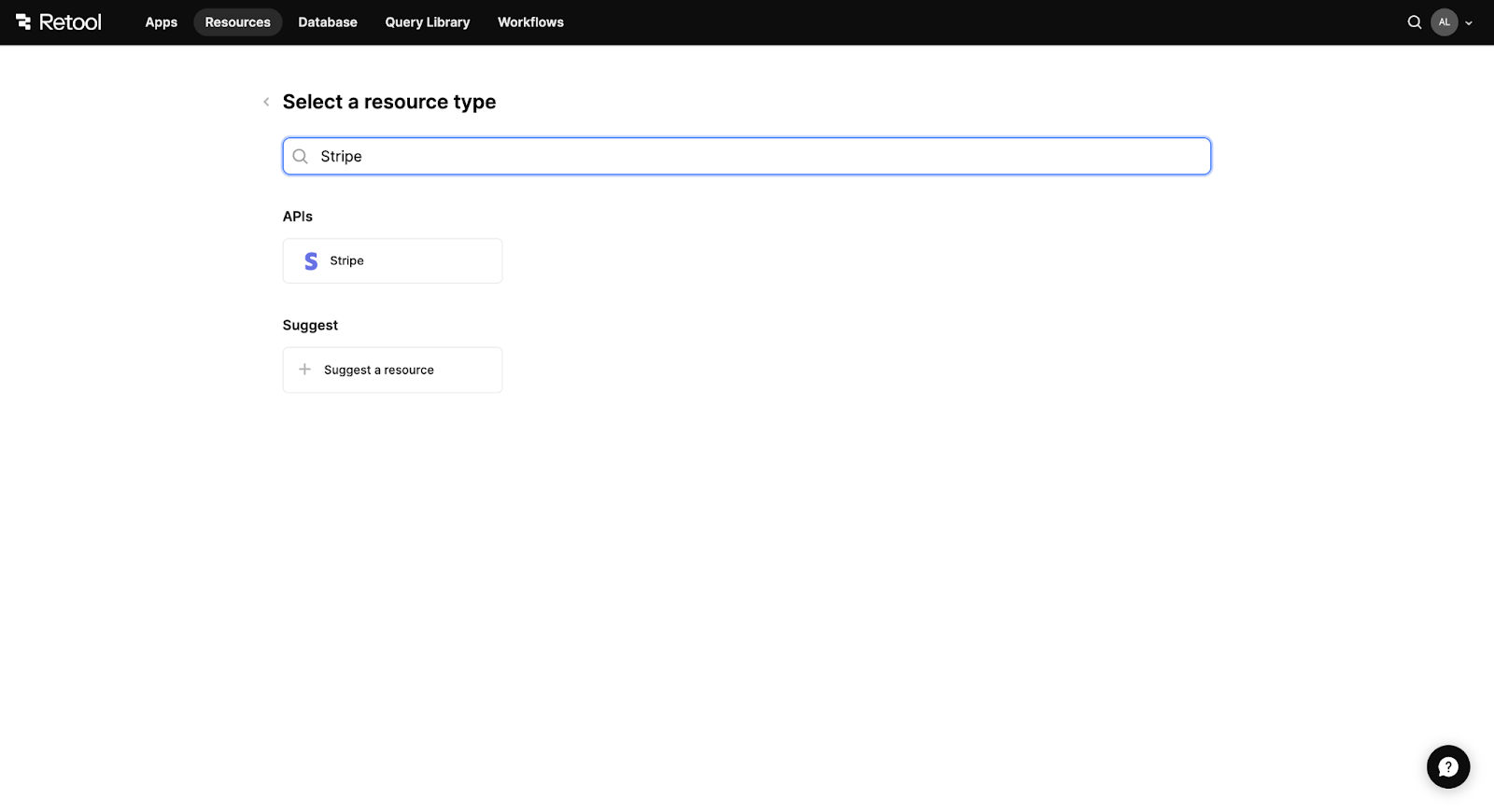
#1. Create a new Resource in Retool, and from the options, find Stripe.
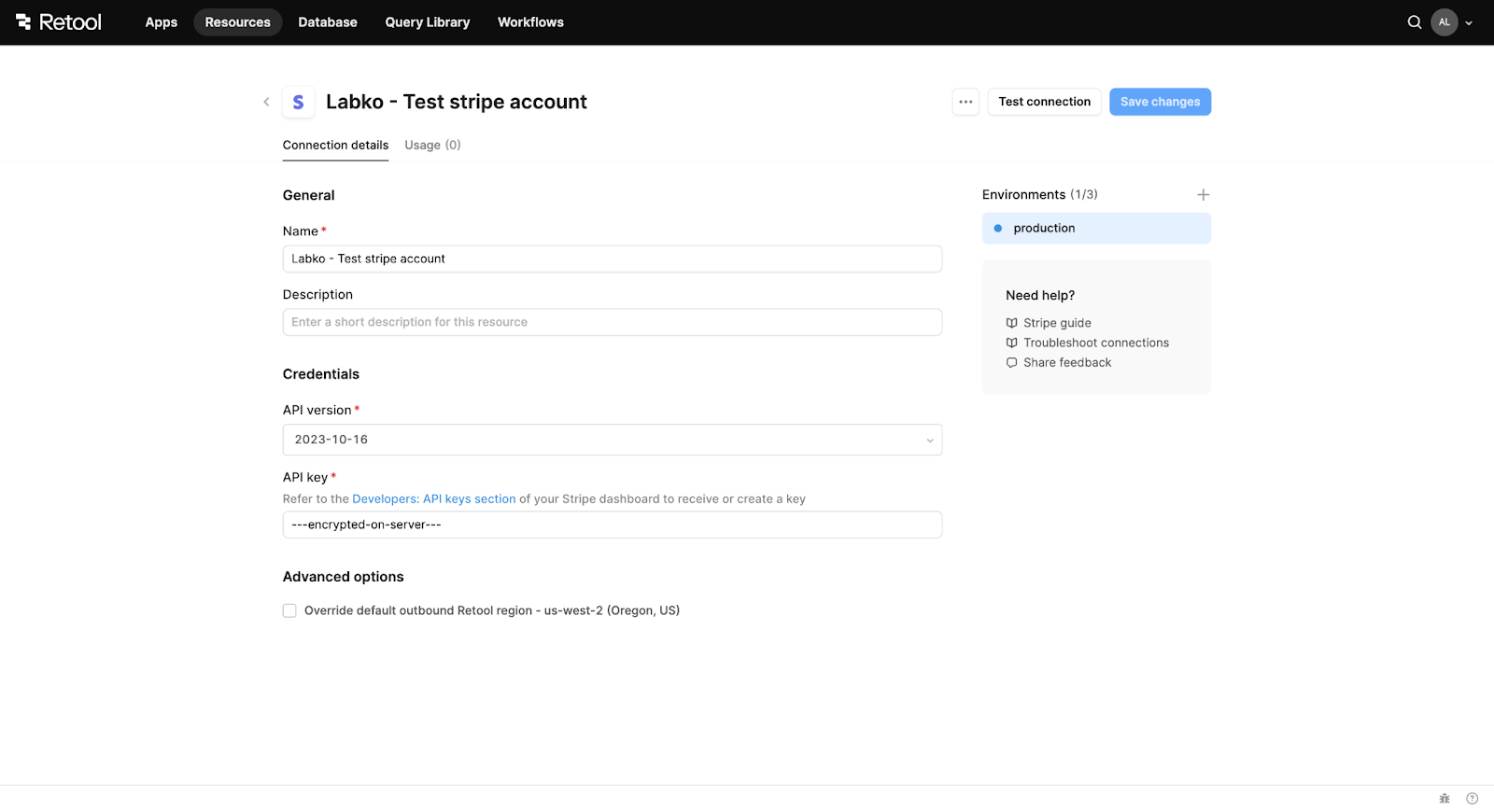
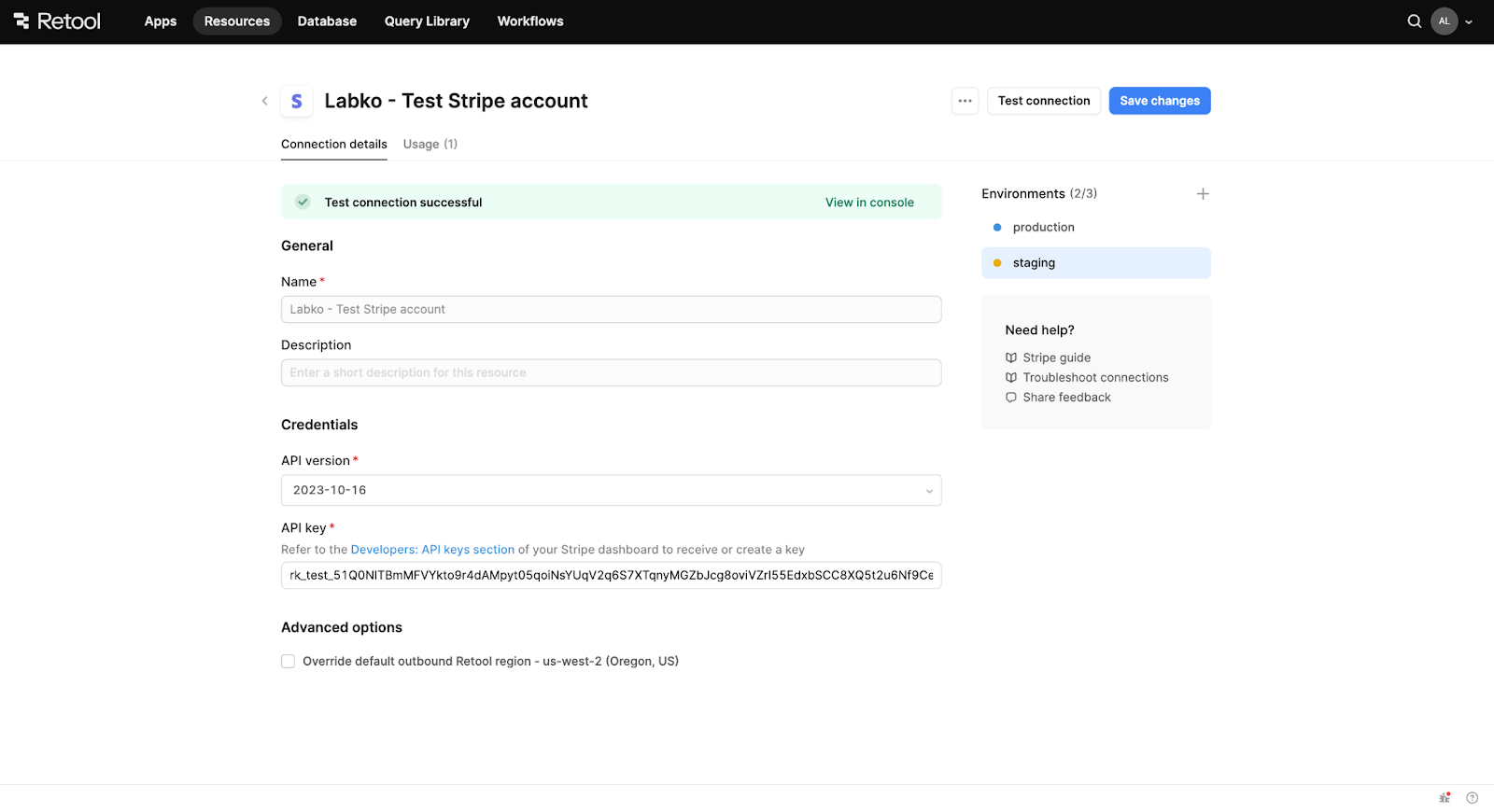
#2. All the required data for Retool includes the resource name, description, API version, and API key.
The API key is a crucial parameter that Retool uses to authenticate your account automatically. You can find the API key in Stripe’s Developers API keys section.
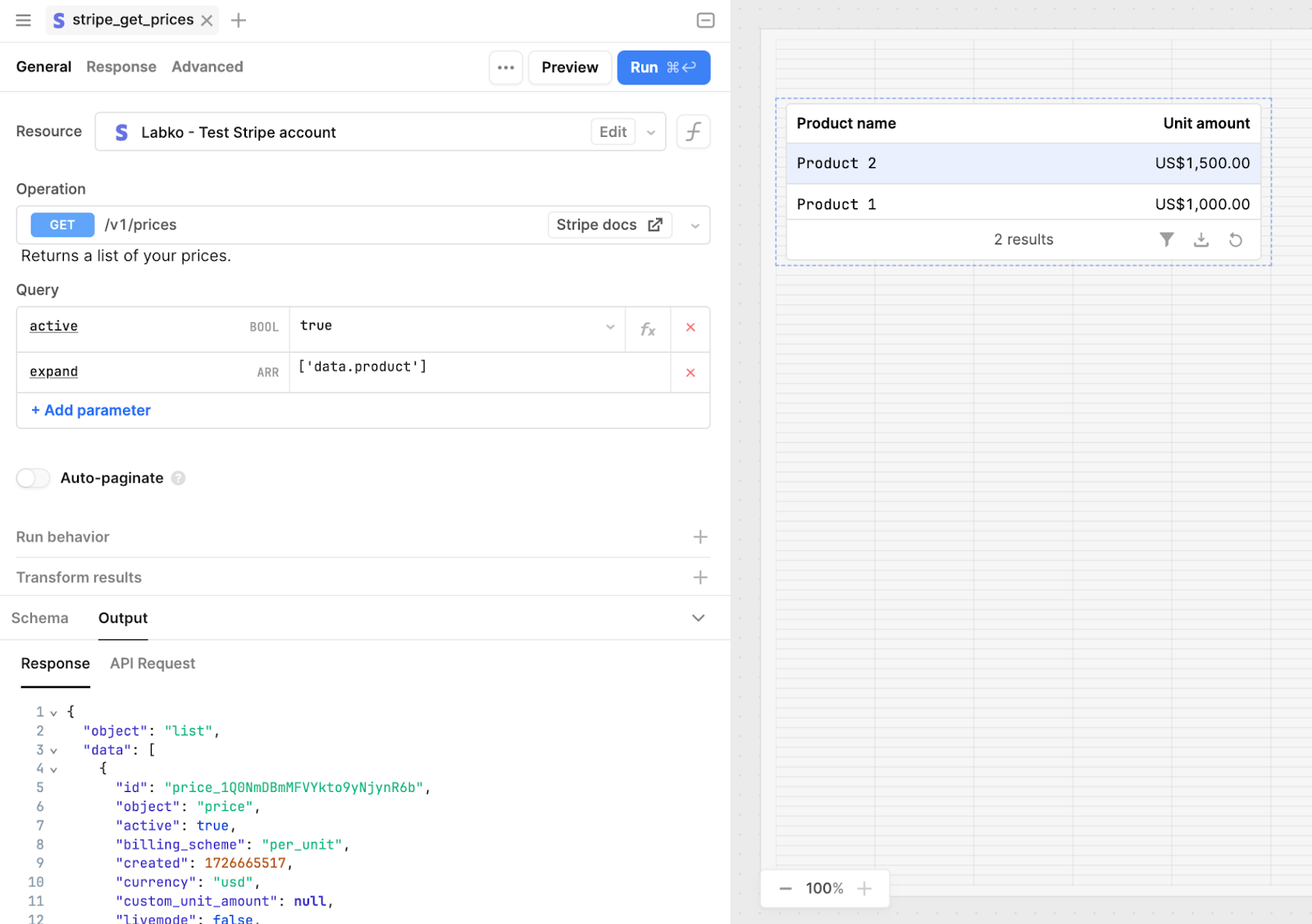
#3. Now, Stripe is ready for use. In the application, create a new resource query and select the Stripe resource you created. Retool provides an intuitive interface to select Stripe API endpoints with helpful hints, set query parameters, and transform the received data.
{{cta="/service-blocks"}}
Stripe Integration: Real Project Example
In this section, we demonstrate some use cases for how Stripe integration works in Retool, using the example of the Tempo project, which our low-code team developed for CutTime.
Tempo is a Retool-based application created for internal use, allowing the organization to manage licenses for U.S. district programs, including tracking payment statuses. You can find project details on the Akveo website.
In addition to the license tracking system, Tempo offers invoicing functionality implemented via the Stripe API.
Managing Products and Prices
Managing licenses involves handling products and their associated prices. Stripe offers a built-in solution to manage both products and prices, and its API makes it easy to integrate this functionality into custom applications, including those built in Retool.
Using Stripe API endpoints to create, retrieve, edit, and delete products and prices, the Tempo application allows these products to be used for license creation.
Additionally, the project required a discount system, but the existing approach didn't meet expectations. By combining Stripe's built-in solutions with custom development, we implemented a discount system based on the quantity of purchased products.

Invoicing
Stripe is a powerful invoicing service that automates the process, and links products, prices, clients, and other features. However, like many ready-made solutions, it has limitations and doesn’t allow full customization to meet specific client needs.
For example, while Stripe allows custom fields in its email and PDF invoice templates, it does not support updating styles or changing the placement of elements. In this case, integrating Retool and Stripe via API provides a solution. It enables businesses to use Stripe's capabilities for creating and tracking invoices while also allowing custom email and PDF templates to be designed with external mailing services to match the project’s requirements.
Payments Tracking
Stripe provides a payment page to track online payments and supports a wide range of payment methods, including credit or debit cards, bank transfers, PayPal, and others. But how do you track cash or check payments and manage all income in one system?
This is where Retool’s public pages and custom development, combined with Stripe's API, can help. When a check is received, the user can mark an invoice as "paid out of band" through the Retool application. When the paid_out_of_band parameter is set to true, Stripe skips the payment step and marks the invoice as paid, indicating that the payment was received outside of Stripe’s system.
Testing Mode
Retool allows you to set up multiple environments, and it's convenient that Stripe also offers a testing mode available through its API. Since Retool has built-in Stripe integration, you can enable Stripe's test mode by selecting a different environment in Retool and providing the API key for Stripe's test mode, which can be found in your Stripe account settings.
Conclusion
The example of Stripe demonstrates how integrating ready-made solutions into Retool can improve the quality and expand the functionality of applications. With custom Retool development, it's possible to modify or adjust certain behaviors of embedded systems to better fit the project’s specific needs.
---
This is another article in the series of blog posts from our low-code experts and Retool developers. You can explore more of the insights and their background on Retool Workflows, Retool Database, Retool Dynamic Tables and Retool Slack Integration.
If you need help with your Retool integrations – or any other tech projects – feel free to contact us. Our team is always ready to assist with custom low-code development.